> For the complete documentation index, see [llms.txt](https://pango.gitbook.io/paas/llms.txt). Markdown versions of documentation pages are available by appending `.md` to page URLs; this page is available as [Markdown](https://pango.gitbook.io/paas/sdk/vpn-sdk-for-android.md).
# Unified VPN SDK for Android
Supports Hydra, OpenVPN, Wireguard protocols
Current version: **6.0.1**
## General
The Android SDK is part of the Pango Partner SDK, providing client-side libraries and server-side applications for implementing custom VPN infrastructure.
The SDK software is not available to be downloaded as an executable directly here. Rather, in a later step, the SDK will be added as a dependency. When you build your app, the SDK will be downloaded as a set of libraries and modules, the same way as other dependencies.
## Prerequisites
The following prerequisites are required to use the SDK:
* Android 8.0 (API Level 26) and higher (API Level 29 or higher for OpenVPN)
* An IDE for development. The pictures in the rest of the API documentation will be showing Android Studio which can be downloaded [here](https://developer.android.com/studio?gad_source=1\&gclid=CjwKCAjw3P-2BhAEEiwA3yPhwHbUDVa3V84bCLlsxXgaNu_9yy-gkzHzjh_yWsj-O097gg1zGR12YxoCoTcQAvD_BwE\&gclsrc=aw.ds).
Additionally, in order to be able to use the SDK, the following steps have to be done:
* Sign in at [pango-cloud.com](https://www.pango-cloud.com).
* Create a project and use a name for your project as a Public key. Private key is optional.
* Use SDK where `carrierId` equals given Public Key and backend url equals default SDK url or url provided by Pango team.
{% hint style="info" %}
Note that at this time, it is not possible for users to create their own accounts directly if they do not already have an account established with us. Please contact your sales representative to initiate account creation as part of the project and client onboarding process or [contact us](https://www.pango.co/contact-us/). We apologize for any inconvenience.
{% endhint %}
## Supported Protocols
The Android SDK supports the following VPN protocols:
* Hydra
* [OpenVPN](/paas/sdk/vpn-sdk-for-android/features/openvpn-transport.md)
* [WireGuard](/paas/sdk/vpn-sdk-for-android/features/wireguard-transport.md)
## Supported Features
| Feature | Description |
| --------------------------------------------------------------------------------------------------------------------- | ------------------------------------------------------------------------------------------------------------------------------------------------------------------------------------ |
| [Backend URL configuration](/paas/sdk/vpn-sdk-for-android/setup/backend-url-configuration.md) | The SDK supports overriding default backend API URLs by adding a new raw resource file named pango\_default\_urls.json to your project. |
| [Custom SDK dependencies](/paas/sdk/vpn-sdk-for-android/features/custom-sdk-dependencies.md) | Allows you to override and customize parts of the VPN SDK's internal logic, such as the logger, OkHttp client, backend URL rotator, and notification builder. |
| [Deferred VPN service initialization](/paas/sdk/vpn-sdk-for-android/features/deferred-vpn-service-initialization.md) | Ability to defer VPN service initialization and enable it later using PackageManager API. |
| [Authentication](/paas/sdk/unified-vpn-sdk/features/authentication.md) | Supports Pango Auth (recommended) for managed authentication, with OAuth as an alternative for existing infrastructure. |
| [VPN interface](/paas/sdk/vpn-sdk-for-android/usage/vpn-interface.md) | Allows configuring, starting, stopping, updating, and monitoring VPN sessions, and supports useful features like transport fallback, DNS/proxy rules, and permission handling. |
| [Backend interface](/paas/sdk/vpn-sdk-for-android/usage/backend-interface.md) | Supports listing available VPN locations and countries, handling purchases and deletions, and retrieving information about the current user's remaining traffic and account details. |
| [Client Network List (CNL)](/paas/sdk/vpn-sdk-for-android/features/cnl-list.md) | Supports automatically starting and stopping VPN sessions based on a configurable client network list (CNL). |
| [Traffic rules](/paas/sdk/vpn-sdk-for-android/features/traffic-rules.md) | Configure domain-based and IP-based traffic rules to control DNS resolution and routing of traffic through Hydra VPN using the addDnsRule and addProxyRule methods. |
| [VPN node DNS](/paas/sdk/vpn-sdk-for-android/features/vpn-node-dns-configuration.md) | Supports changing the DNS server used on the VPN node to resolve DNS requests. |
| [Location profile (Hydra only)](/paas/sdk/vpn-sdk-for-android/features/hydra-protocol/location-profile-hydra-only.md) | Supports custom location profiles for VPN sessions. |
| [Proxy connection (Hydra only)](/paas/sdk/vpn-sdk-for-android/features/multihop.md) | Provides the ability to connect to a desired location through another location as a proxy. |
| [Optimal Location](/paas/sdk/vpn-sdk-for-android/features/multihop/optimal-location-and-specific-locations.md) | Automatically select the best VPN server for your connection. |
| [OpenVPN transport](/paas/sdk/vpn-sdk-for-android/features/openvpn-transport.md) | Supports adding OpenVPN transport to enable VPN connections over TCP. |
| [WireGuard transport](/paas/sdk/vpn-sdk-for-android/features/wireguard-transport.md) | Allows apps to enable fast and secure VPN connections on Android devices using the Wireguard protocol. |
| [Reconnection strategy](/paas/sdk/vpn-sdk-for-android/features/reconnection-strategy.md) | Automatically handles network reconnection when switching between networks. |
## Setting up a project in Android Studio
### Configuring Android Studio
Step 1. After downloading Android Studio, select ‘New Project’

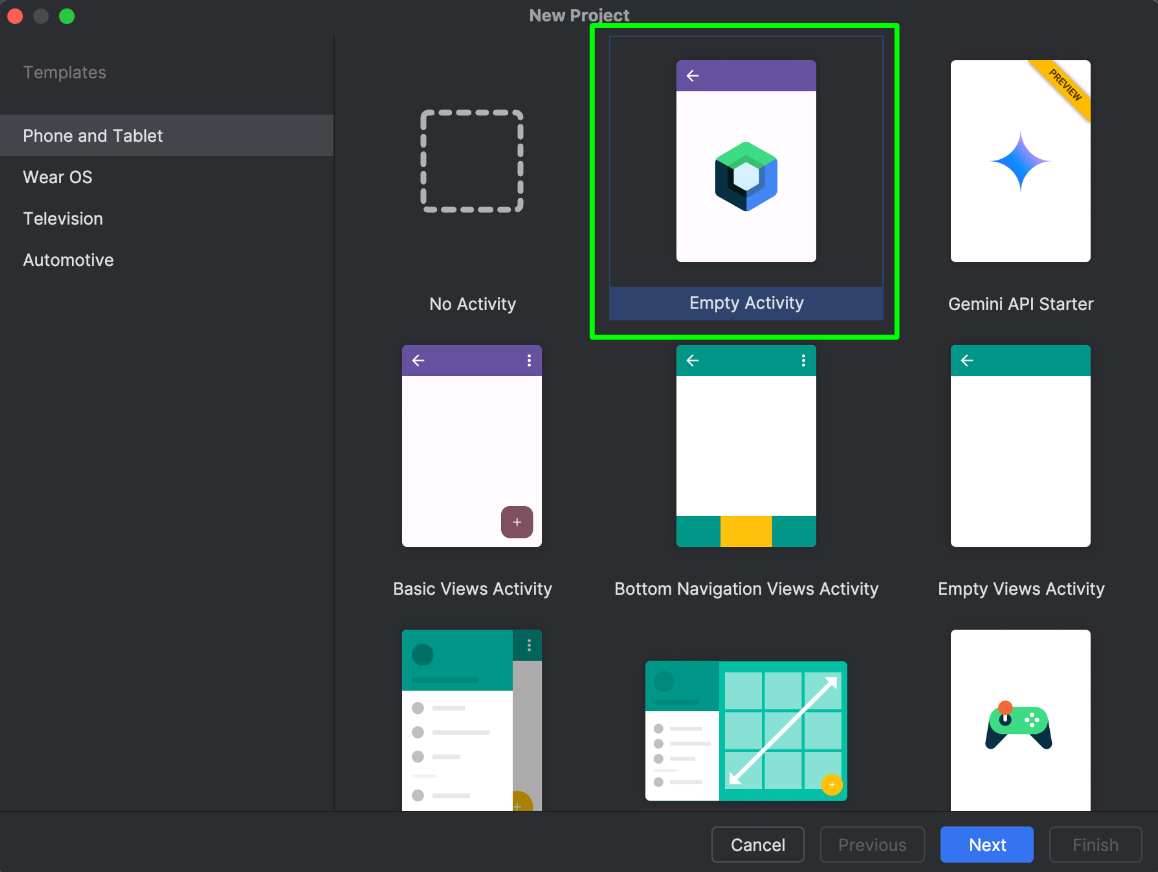
Step 2. Choose the template that is most appropriate for your application. This guide will follow the ‘Empty Activity’ template as seen in the corresponding picture.
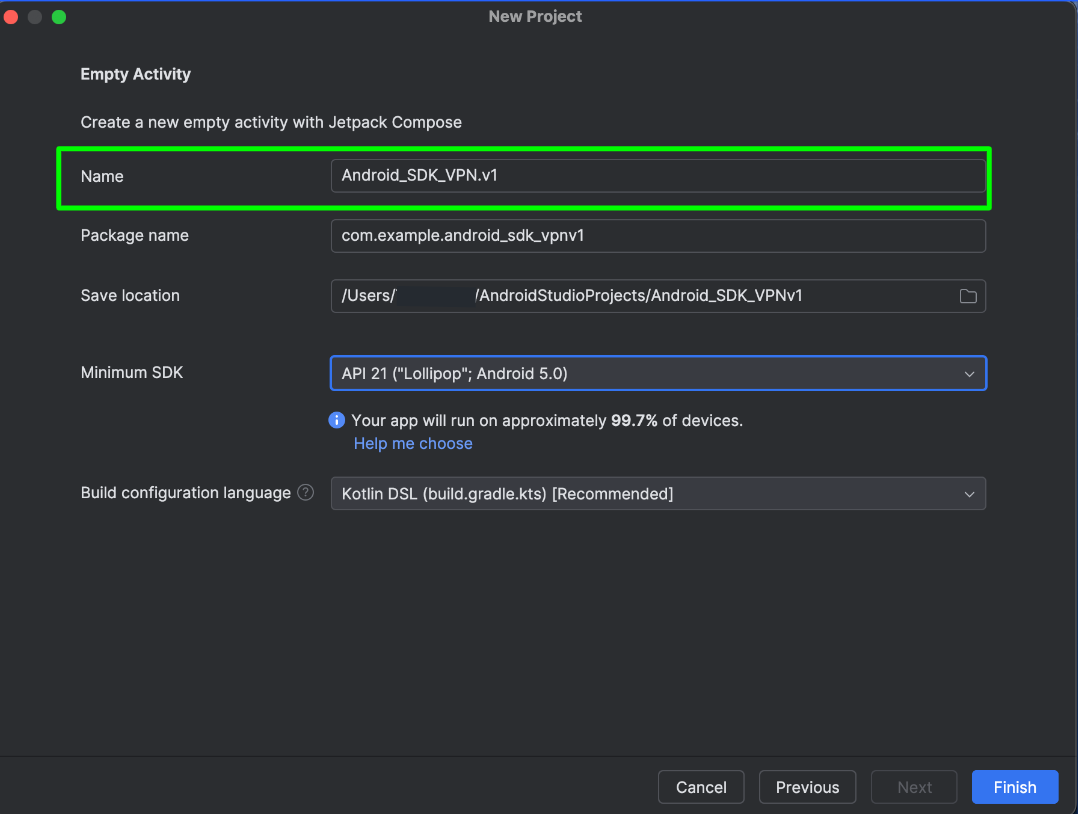
Step 3. Create a name for your project
Step 4. Select the minimum SDK requirements for your project. Our SDK is compatible with API 26 (Oreo; Android 8.0) and newer. For the sake of this walkthrough, we will be selecting API 26.
Click ‘Finish’ after all your selections have been made
Step 5. The following screen will be a install screen. The installation is relatively quick. The associated picture to this step shows the screen after the install is complete.
Click ‘Finish’
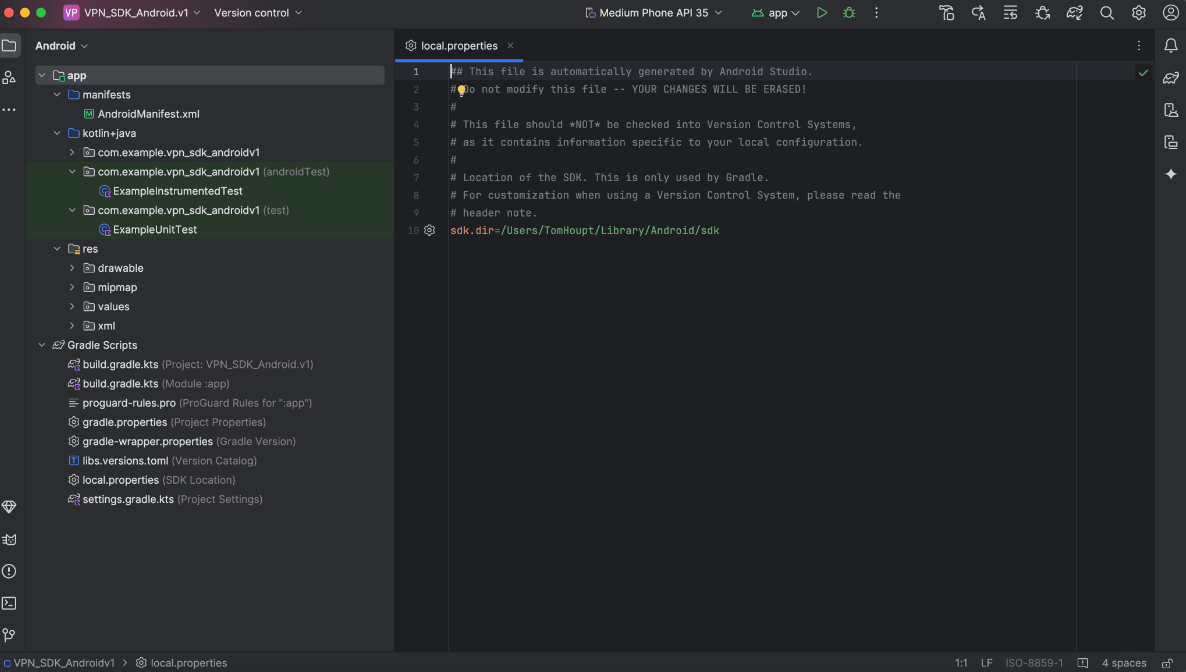
Step 6. You will be taken to a page in Android Studio that looks like this
Step 7. You will be taken to a page within Android Studio that looks like this
### Configuring the SDK Dependency
Add dependencies in `build.gradle` of your app module. Version name is available at the top of this document.
```groovy
dependencies {
implementation 'co.pango:sdk:{VERSION_NAME}'
}
```
**Step 1**. In the left hand menu select the tab `build.gradle.kts (Module :app)` which is nested under the `Gradle Scripts` folder.
Step 2. Once in the `build.gradle.kts (Module :app)` file, scroll down until you see the `dependencies` list at the bottom
Step 3. Insert the code snippet below into the dependency list.
Be sure to include the most recent version of the SDK within that snippet which can be found at the [top of this document](#general).
```kotlin
implementation("co.pango:sdk:x.y.z")
```
**Step 4**. Click on the Light Bulb icon that appears after entering the line of code. Then click ‘Sync Now’.
It will take a minute or longer to sync. There will be a status bar at the top letting you know that it is syncing and it will also let you know when the sync is successful.
After the Sync is complete, you will receive this message at the bottom of the Android Studio screen:
## Sample App
Contact your account manager to get access to the demo app.
## Version Migration
For migration between versions, check [**this**](/paas/sdk/vpn-sdk-for-android/version-migration.md)
## Versioning convention
Android SDK versioning is in format MAJOR.MINOR.PATCH and should be associated with version in Jira. [See conventioning rules](https://semver.org/).
The Android SDK provides API containing:
* Classes and methods to authorize client users
* Ability to connect to backend VPN service
## Changelog
The SDK version history and changes are documented [here](/paas/sdk/vpn-sdk-for-android/changelog.md).